


KARE 11 News
4.2920.00 Reviews
App Specs
- Version
- 50.23.2
- Updated On
- License
- Free
- Downloads
- 100,000+
- Developer
- TEGNA
- Categories
- News & Magazines
- Platform
- Android
Screenshots
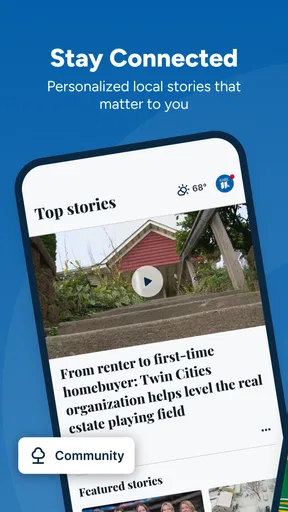
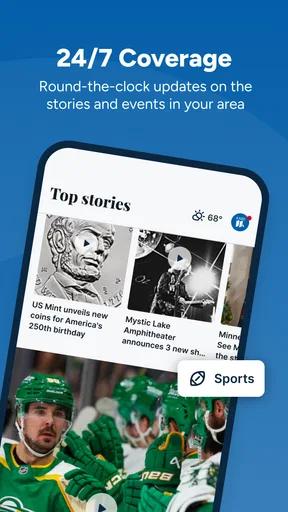
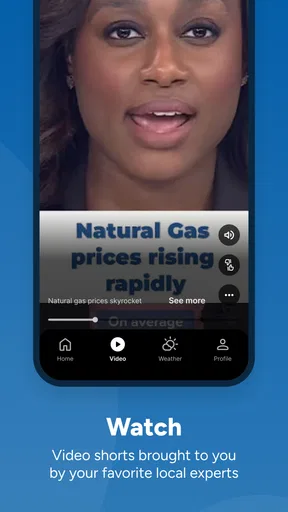
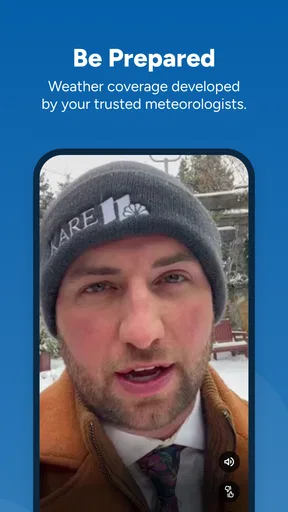
 Analysis by AppCompare
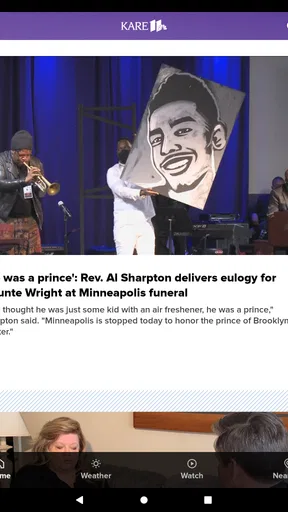
When I open a local news app, I want to understand what is happening quickly, without digging through a crowded national news feed. KARE 11 News is built around that local-first need, bringing Twin Cities news, weather, and live video into one place. I found it most useful as a practical check-in tool rather than an app I would leave open all day: a way to see the main local stories, check conditions before going out, and watch coverage when a developing event matters.
The app comes from TEGNA and sits in the News & Magazines category. It is free, rated for Everyone, and has passed the point where it feels like an untested newcomer, with over one hundred thousand installs and an average rating of 4.2 from around 2.9 thousand ratings. Those figures suggest a reasonably established audience, but they do not remove the need to judge whether its presentation works for your own reading habits and access needs.
How KARE 11 News works for different readers and situations
I use this section to connect KARE 11 News with the different ways people actually check local information, from a quick weather glance to following a developing story. The main question is not whether one format suits everyone, but which parts of the app fit a reader’s routine and which call for a different source. That distinction helps make the app’s local focus practical rather than limiting.
Readable local coverage without a national-news detour
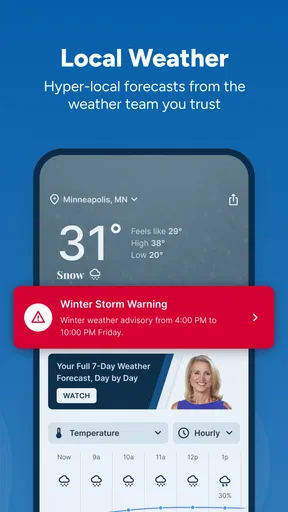
The clearest strength is focus. Instead of asking me to sort Twin Cities stories out of a broad national stream, the app puts the local area at the center. That makes it a sensible companion for residents, commuters, students, families, and anyone who has moved away but still wants a quick connection to local events. The store summary highlights live video and weather, and those two elements give the app a more immediate purpose than a simple list of articles.
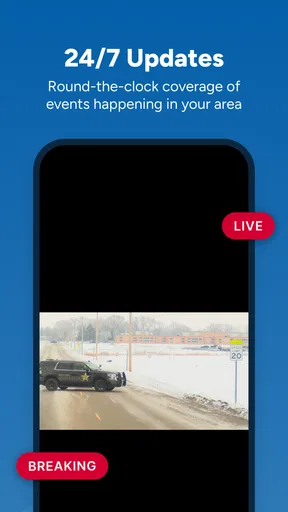
I especially like the distinction between reading and watching. A written story suits a quiet moment when I want to scan details, while live video is better when an event is unfolding and seeing the coverage feels more useful than reading a later summary. That choice also matters for accessibility: some people process information more comfortably through text, while others find video or spoken reporting easier to follow. KARE 11 News gives both formats a place, although the usefulness of each depends on how clearly the current screen presents the available options.
Navigation in a local-news app should reduce mental effort. I do not want to repeatedly decide whether a headline is relevant to my area, and this app’s regional identity helps with that. The practical workflow is simple: open it for the main local update, move to weather when planning the day, and switch to video when a major story deserves more context. That predictable pattern is more valuable to me than a huge collection of sections.
There is also a trade-off. A focused local app cannot replace a broad news reader for international affairs, specialist reporting, or a customized mix of sources. If I wanted politics, technology, business, and world news from many publishers in one feed, I would choose a general news app instead. KARE 11 News makes more sense when Twin Cities relevance is the priority.
Worth Reading Before You Choose

EA SPORTS FC Mobile 26 Is a Bigger Football Game, but It Takes Time

Flipboard Shows What News Apps Must Do Beyond the Feed

Switching to Android Auto Means Rethinking Your Driving Routine

Google Calendar Makes a Crowded Week Easier to Manage

Ludo King Makes the Most of the Minutes Between Plans

Baby Panda World Brings Quick Play to Modern Phones, but Its Game Library Feels Busy
Readability and the effort required to find the important item
For everyday use, headlines need to be distinguishable from supporting text, and the path from a headline to the full story should feel obvious. The app’s local scope helps here because the content has a clear geographic purpose. I can approach it with a question such as “What changed locally today?” rather than starting with an empty search or an overwhelming collection of unrelated topics.
My advice is to use the app in short, deliberate visits. Start with the lead stories, then move to weather if that is the reason you opened it. If a headline concerns an event affecting travel, school, work, or safety, read the full item rather than relying only on the short preview. This workflow reduces the chance of treating a fast-moving headline as a complete explanation.
People who need larger text, strong contrast, or magnification should judge the app alongside their phone’s own display settings. Those system tools can make text easier to read, but enlarging content may also mean more scrolling or make a compact layout feel less comfortable. I would test the app with the exact settings used in daily life, not only with default text size. A design that looks fine in a quick store preview can feel quite different after several minutes of reading.
Those who rely on a screen reader should also check how headings, story controls, video controls, and weather information are announced on their device. I would not assume that every visual grouping has an equally clear spoken equivalent. The app’s usefulness for a blind or low-vision reader will depend not just on whether articles are present, but on whether the reading order and interactive labels make sense in practice.
Motor and sensory considerations during quick checks
News apps are often used one-handed, while standing at a bus stop, carrying groceries, or moving between tasks. That makes touch accuracy and short interaction paths important. KARE 11 News is at its best when I can open it, identify the relevant local item, and stop there. If I need repeated swipes, precise taps, or rapid movement between several areas, the experience becomes less comfortable for users with limited dexterity or tremor.
A useful habit is to avoid trying to consume everything in one session. I would read one story fully, return to the main feed, and then decide whether another item deserves attention. That keeps the interaction manageable and avoids the fatigue that can come from continuously scrolling through a busy news stream. It is a small change, but it makes the app more practical for people who use touch controls slowly or need frequent breaks.
Video introduces a different set of concerns. Live coverage can be valuable for users who prefer visual explanation, but it may be difficult in a noisy environment, during a meeting, or for someone sensitive to motion and changing images. I treat video as an optional layer rather than the default way to use the app. When sound or motion is inconvenient, written coverage and weather information are the better route.
For users who are deaf or hard of hearing, the key question is whether the relevant information is also available in readable form. I would not depend on live video alone for an important update. The safer workflow is to use the article or other visible information first, then watch video when it adds context. That approach also helps anyone with limited data, limited time, or a setting where audio is inappropriate.
People who are sensitive to breaking-news urgency may prefer a calmer routine. Instead of opening the app repeatedly whenever something happens, I would choose specific moments to check it and leave live coverage for stories that genuinely affect my plans. This is not a missing feature so much as a sensible way to keep a news tool from becoming distracting.
Situational access: where the app earns its place
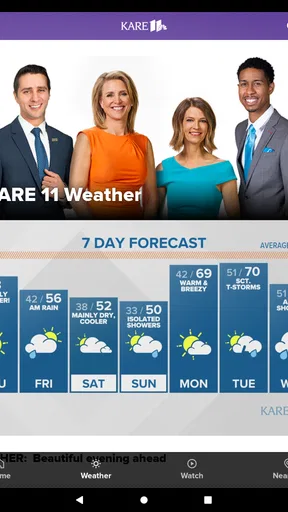
The most convincing everyday scenario is a morning commute. Before leaving, I can look at local headlines and weather together, then decide whether I need extra travel time or different clothing. Later, if a local event develops, live video may provide a quicker sense of what is happening than waiting for a longer written report. That combination makes the app more useful than a weather-only tool or a national news reader that treats local conditions as a small sidebar.
It also suits households with different information preferences. One person may want a fast weather check, another may read local reporting, and someone else may watch live coverage. Keeping those uses in the same app avoids switching between several services. Still, I would not describe it as a complete information hub. It is strongest for immediate local awareness, not for building a carefully balanced reading list from many outlets.
For someone new to the Twin Cities, the regional focus can make the app a helpful orientation tool. Local stories can reveal what issues are affecting the area, while weather coverage gives practical context for daily plans. A visitor could use it before heading out, but a traveler looking for broad destination planning would probably get more from a dedicated travel or mapping service.
It can also work for relatives who want to follow local news from another location. The app’s value in that situation depends on whether the person prefers a direct local source over social media links. I prefer the direct route because social feeds often mix commentary, incomplete context, and unrelated posts. On the other hand, someone who wants conversation, personal recommendations, or many viewpoints may find a social platform more engaging.
Because the app is free, the barrier to trying it is low. That matters for families or occasional users who do not want another subscription simply to check local headlines and weather. The age rating of Everyone also makes it broadly suitable as a household news option, though adults should still help younger readers understand that news about emergencies or difficult events can be unsettling.
Practical trade-offs against familiar alternatives
Compared with a general news aggregator, KARE 11 News offers less breadth but more local identity. An aggregator is better when I want one place for several regions and subjects, especially if I enjoy customizing sources. KARE 11 News is better when the Twin Cities are the part I care about and I want less filtering before reaching relevant coverage.
Compared with a weather-only app, it adds reporting and live video, which can explain why conditions or local events matter. A weather specialist may still be preferable for detailed forecasts, maps, alerts, or technical weather information. I would use KARE 11 News for the quick local picture and keep a dedicated weather service available if planning depends on deeper forecast tools.
Compared with visiting a news website in a mobile browser, a dedicated app can feel more direct for repeated checks. The benefit is convenience; the cost is having another app occupying space and another interface to learn. If I only need local news once every few weeks, the browser may be enough. If I check the same regional coverage regularly, the app’s focused entry point is more worthwhile.
Compared with social media, the app is a better starting point for a coherent local update, while social platforms can be faster at surfacing eyewitness reactions. I would not use unverified social posts as my only source during a developing event. The sensible compromise is to use KARE 11 News for the main report and social channels, if at all, for additional perspective rather than confirmation.
Remaining barriers and what I would test first
The biggest limitation is not that the app lacks a purpose; it is that local news can change quickly. A headline or live segment may be useful for immediate awareness but insufficient for a complicated story. I would look for the latest version of an article, read beyond the headline, and avoid making important decisions from a brief notification or video preview alone.
Live video can also be demanding in ways that written news is not. It may require a quiet environment, a stable connection, enough battery, and attention at the right moment. That makes it less dependable for users who need information in short bursts or who cannot use audio. The app remains useful in those cases, but I would treat the written side as the primary path.
The current version is 50.23.2, and the app supports devices running Android 7.1 or later. That broad operating-system reach is helpful for people who keep an older phone, although an older device may still affect scrolling smoothness, video playback, or how comfortable the interface feels. Before relying on it for a commute or emergency-related update, I would install it on the actual phone I plan to carry and test both article reading and video playback.
Another barrier is attention. A local news app can become a habit, and frequent checking may not improve understanding. I get more value by deciding what I need from each visit: headlines, weather, or live context. Users who want extensive personalization, offline reading, deep archives, or a cross-publisher research workflow should consider a broader news solution instead of expecting this app to cover every need.
Accessibility should be evaluated personally rather than assumed from the app’s general audience rating. I would test text scaling, screen-reader navigation, touch targets, video controls, captions or visible alternatives where relevant, and the app’s behavior in portrait and landscape orientation. Those checks answer practical questions that a rating cannot: Can I find the weather without assistance? Can I stop a video easily? Can I read a full story without losing my place?
Who I would recommend it to
I would recommend KARE 11 News to Twin Cities residents who want a straightforward local check-in, especially people who value a combination of written reporting, weather, and live video. It is also a sensible choice for former residents or family members who want local awareness without building a complicated collection of sources. The free price makes experimentation easy, and the Everyone rating removes an obvious age barrier for general household use.
I would be more cautious about recommending it as someone’s only news app. Readers who need national and international depth, multiple editorial viewpoints, specialist subjects, or detailed forecast tools will likely be happier with a broader combination of services. Likewise, users who cannot comfortably interact with video or dense touch interfaces should test the app carefully and rely on the format that works best for them rather than assuming every part will be equally accessible.
My preferred routine is simple: use the main feed for a quick local overview, open the weather section when making a practical plan, read the complete article when the topic affects me, and choose live video only when it adds something that text cannot. That workflow keeps the app useful without turning it into a constant stream of interruptions.
My inclusive verdict
KARE 11 News succeeds because it understands a specific need: local information should be easy to reach when the day depends on it. Its mix of Twin Cities reporting, weather, and live video gives me more flexibility than a single-purpose tool, while its focused identity avoids the clutter of a general news aggregator. I appreciate that I can choose between reading and watching instead of being pushed into one format.
At the same time, inclusive use depends on context. A person with low vision may need display adjustments; a screen-reader user should verify the reading order and labels; someone with limited dexterity may prefer short, planned sessions; and a deaf or hard-of-hearing user should not depend on live video unless equivalent readable information is available. No single local-news presentation will suit every reader equally well, so testing the actual device and preferred settings is essential.
After using it as a local-news companion, I see it as a good fit for practical awareness rather than comprehensive journalism. TEGNA’s app is free, established enough to have more than one hundred thousand installs, and currently available in version 50.23.2 for Android 7.1 and newer. Those details make it easy to try, but the real deciding factor is whether you want a focused Twin Cities source. If that is your priority, I would keep it installed; if you want a fully customizable, multi-region news system, I would choose a broader alternative.
Pros
- Quick access to breaking news and local Minnesota updates.
- Live weather forecasts
- radar maps
- and severe-weather alerts.
- Video reports make major stories easier to follow.
- Covers traffic
- sports
- investigations
- and community events.
- Push notifications can keep you informed during urgent situations.
Cons
- Coverage is mainly focused on Minnesota and may feel limited elsewhere.
- Frequent notifications can become distracting without careful settings.
- Some videos may load slowly on weaker mobile connections.
- Advertising can interrupt browsing and take up screen space.
- Certain stories may require scrolling through several content sections.
FAQs for KARE 11 News
What is KARE 11 News, and what can I use the app for?
KARE 11 News is a local news and weather application focused on the Minneapolis–St. Paul area and surrounding communities in Minnesota. After installing it, users can browse breaking news, watch video reports, read local stories, check forecasts, view radar information, and follow updates about traffic, sports, and important regional events. The app is designed for people who want quick access to local coverage from their mobile device.
Does KARE 11 News provide live streaming and video content?
The KARE 11 News app includes video reports and may provide live coverage or streaming for selected newscasts, breaking events, and special broadcasts, depending on availability and regional restrictions. Video quality can vary according to your internet connection, and some content may require advertisements before playback. If live television access is especially important to you, check the current app description and supported features before downloading.
Are weather forecasts and severe weather alerts available in the app?
Yes, weather is one of the app’s main features. Users can generally view current conditions, hourly and extended forecasts, interactive radar, and weather videos for locations in Minnesota. The app may also send push notifications about severe storms or other urgent conditions when permissions are enabled. Forecast accuracy and alert availability can depend on your selected location, device settings, and internet connection.
Is KARE 11 News free to download and use?
KARE 11 News is generally available as a free download for Android and iOS devices. Most news articles, weather information, videos, and basic alerts can typically be accessed without a subscription. However, the app may display advertising, and mobile data usage can increase when watching video or viewing live coverage. Standard carrier charges may apply, so using Wi-Fi is advisable when consuming large amounts of content.
What permissions does KARE 11 News request, and can I control notifications?
The app may request permission to send notifications, access your approximate location for local weather, use mobile data, and display media or advertising features. These permissions help personalize forecasts and deliver breaking-news or severe-weather alerts, but they are not always mandatory for basic browsing. You can review or change permissions in your Android or iOS settings, and notification categories can usually be adjusted to reduce unwanted alerts.


